

Card Reader
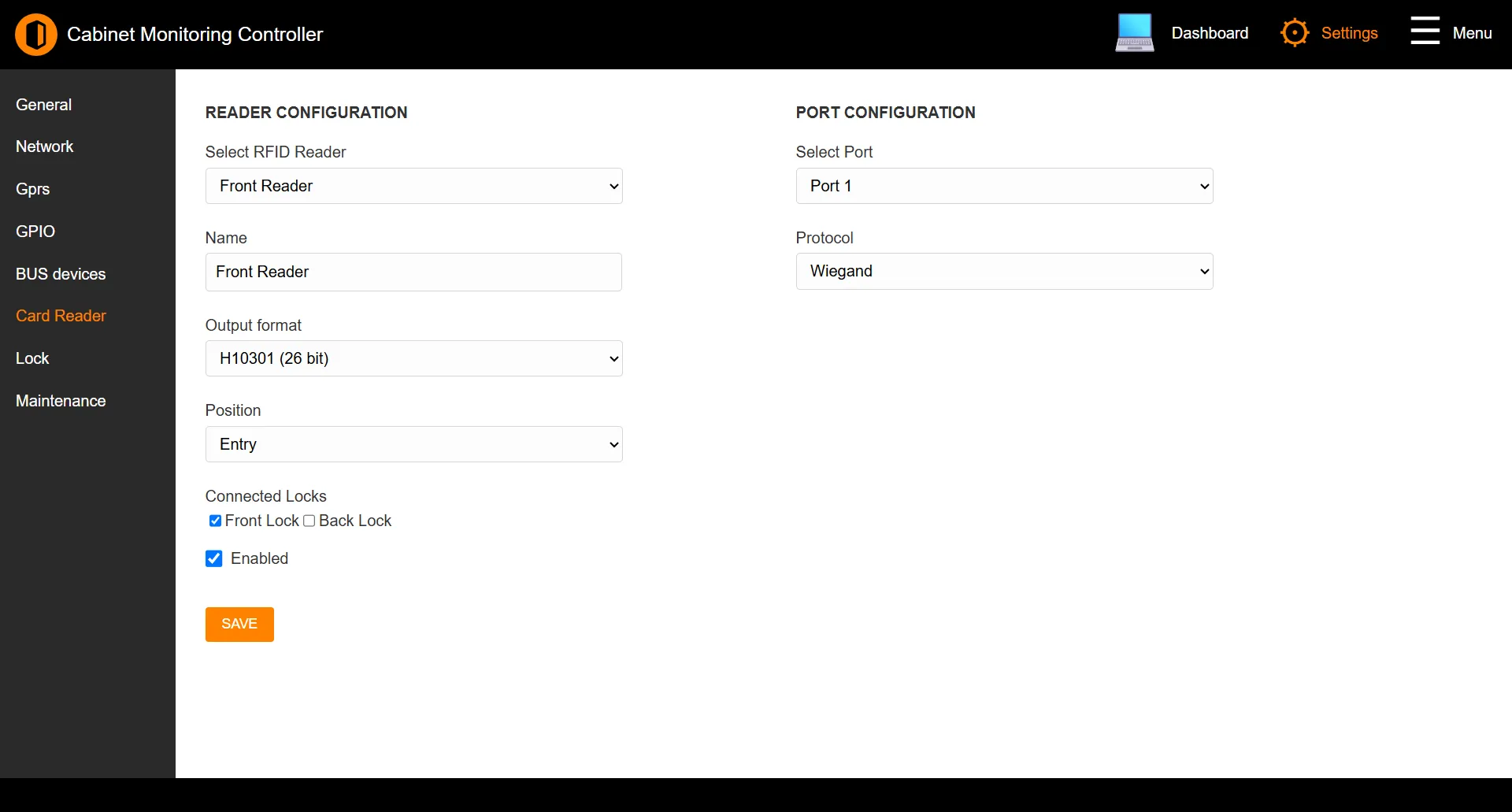
The Card Reader page configures the RFID readers attached to the controller: how each reader reports card numbers, where it sits in the access flow, which locks it drives, and how it is wired.
Path: Settings → Card Reader
Note: This page appears only on controller models with access-control hardware. On monitoring-only models it is hidden - see Supported Models.
Reader configuration
| Field | Description |
|---|---|
| Select RFID Reader | Choose which reader to configure. |
| Name | A label for the reader (up to 32 characters). |
| Output format | How card numbers are reported - Supracontrol, Mifare CSN, HID formats (H10301, H10306, H10304), Simplex, and others. |
| Position | Whether the reader controls Entry or Exit. |
| Connected Locks | The locks this reader releases. |
| Enabled | Turns the reader on. |
For OSDP readers, an OSDP address and live Status field are also shown.
Port configuration
| Field | Description |
|---|---|
| Select Port | The wiring channel the reader is connected to. |
| Protocol | The reader protocol. The choices offered depend on what the selected port supports (for example RS-485 or Wiegand). |
For OSDP, an OSDP Baudrate selector (9600–115200) appears.
Click SAVE to apply changes.
See also: Lock | Supported Models