

Gprs
The Gprs page configures the controller’s cellular modem - the APN and credentials it uses to connect, and whether cellular acts as a backup to the wired network. It also reports live modem status.
Path: Settings → Gprs
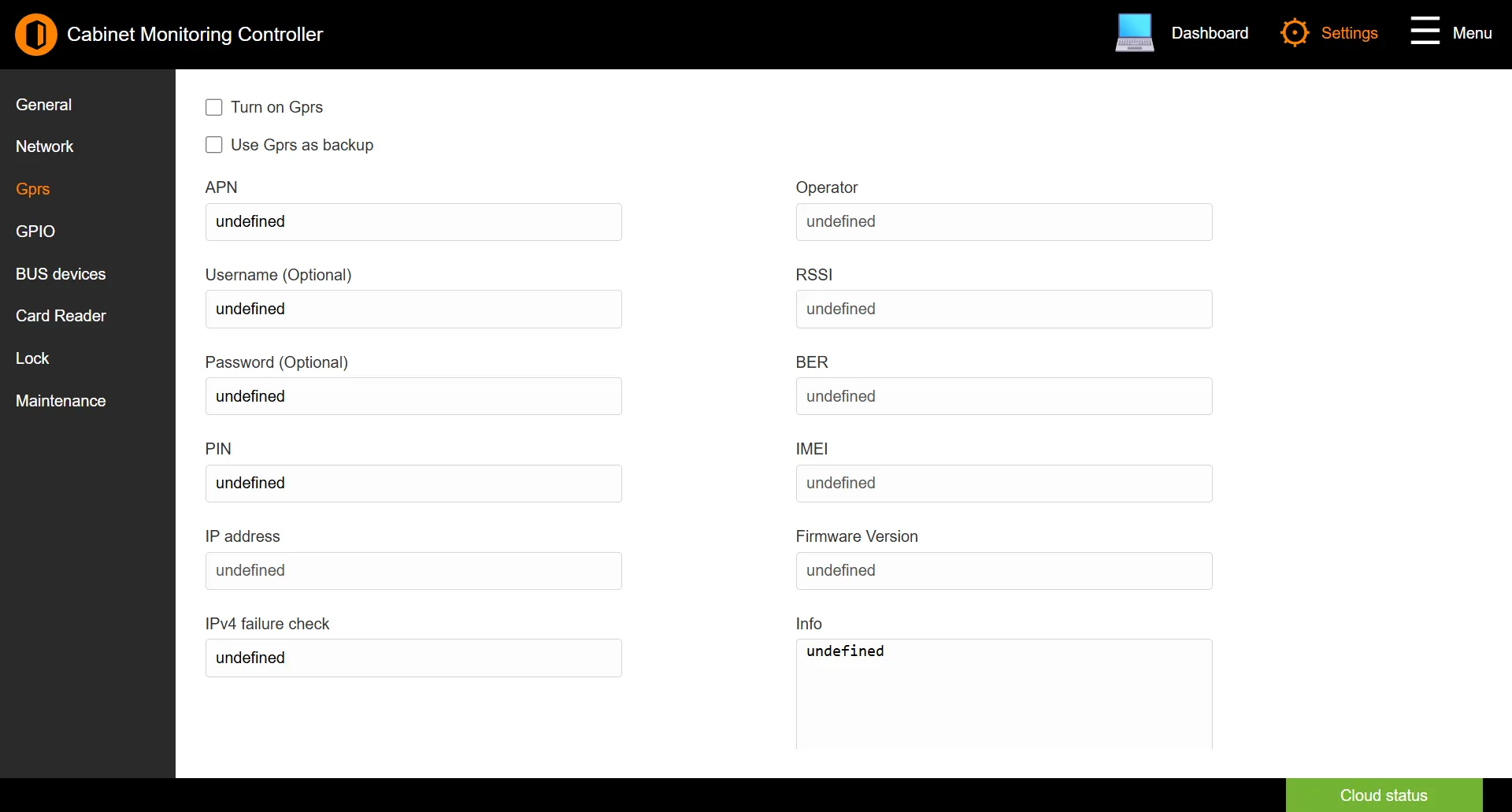
Connection
| Field | Description |
|---|---|
| Turn on Gprs | Enables the cellular connection. |
| Use Gprs as backup | Uses cellular only when the wired network is unavailable, rather than as the primary link. |
| APN | The access point name supplied by your mobile operator. |
| Username / Password | Optional APN credentials, if your operator requires them. |
| PIN | The SIM card PIN, if set. |
| IPv4 failure check | An address the controller pings to confirm the link is alive. |
Modem status
These read-only fields report the modem’s current state:
| Field | Description |
|---|---|
| IP address | The address assigned to the modem. |
| Operator | The mobile network currently in use. |
| RSSI | Received signal strength. |
| BER | Bit error rate. |
| IMEI | The modem’s hardware identifier. |
| Firmware Version | The modem firmware version. |
| Info | A live log of the modem’s activity. |
Note: The Gprs page appears on every controller model. If your controller has no cellular modem, the status fields stay empty.
Click SAVE to apply changes.