

Lock
The Lock page configures the electric locks the controller drives: how they are powered, how they behave on power loss, and how long they release for.
Path: Settings → Lock
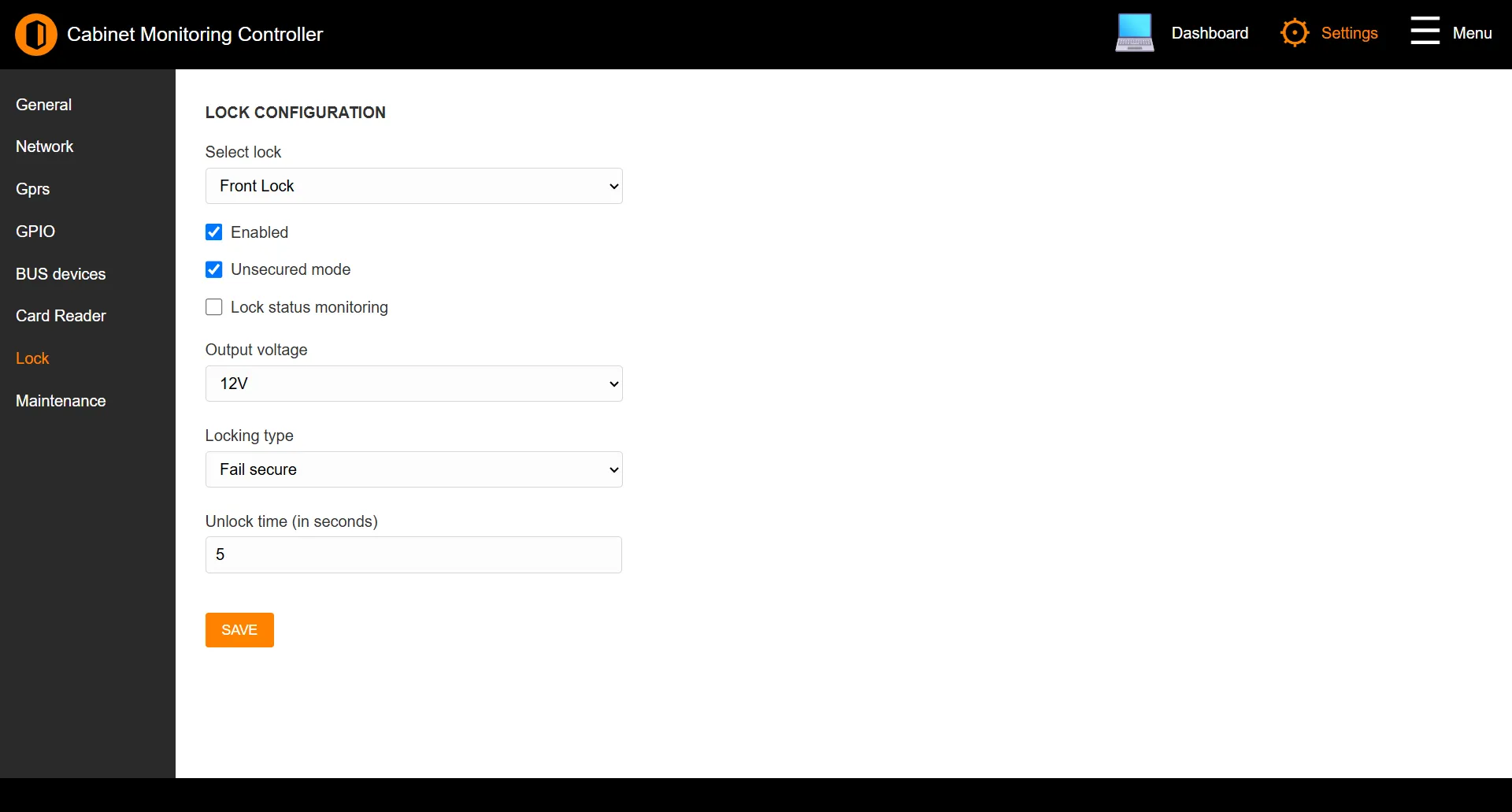
Note: This page appears only on controller models with access-control hardware. On monitoring-only models it is hidden - see Supported Models.
Lock configuration
| Field | Description |
|---|---|
| Select lock | Choose which lock to configure. |
| Enabled | Turns the lock on. |
| Unsecured mode | Holds the lock released - used for free passage. |
| Lock status monitoring | Reports the lock’s actual state back to the controller. |
| Output voltage | The lock’s drive voltage: 12V or 24V. |
| Locking type | Fail secure (locks on power loss) or Fail safe (releases on power loss). |
| Unlock time (in seconds) | How long the lock stays released after a valid read, 0–3600 seconds. |
Note: The 24V option is not offered on every model. Where a controller only drives 12 V locks, that choice is hidden.
Click SAVE to apply changes.
See also: Card Reader | Supported Models