

Reader - Bulk change output format
Follow these instructions to change output format on all enabled locks.
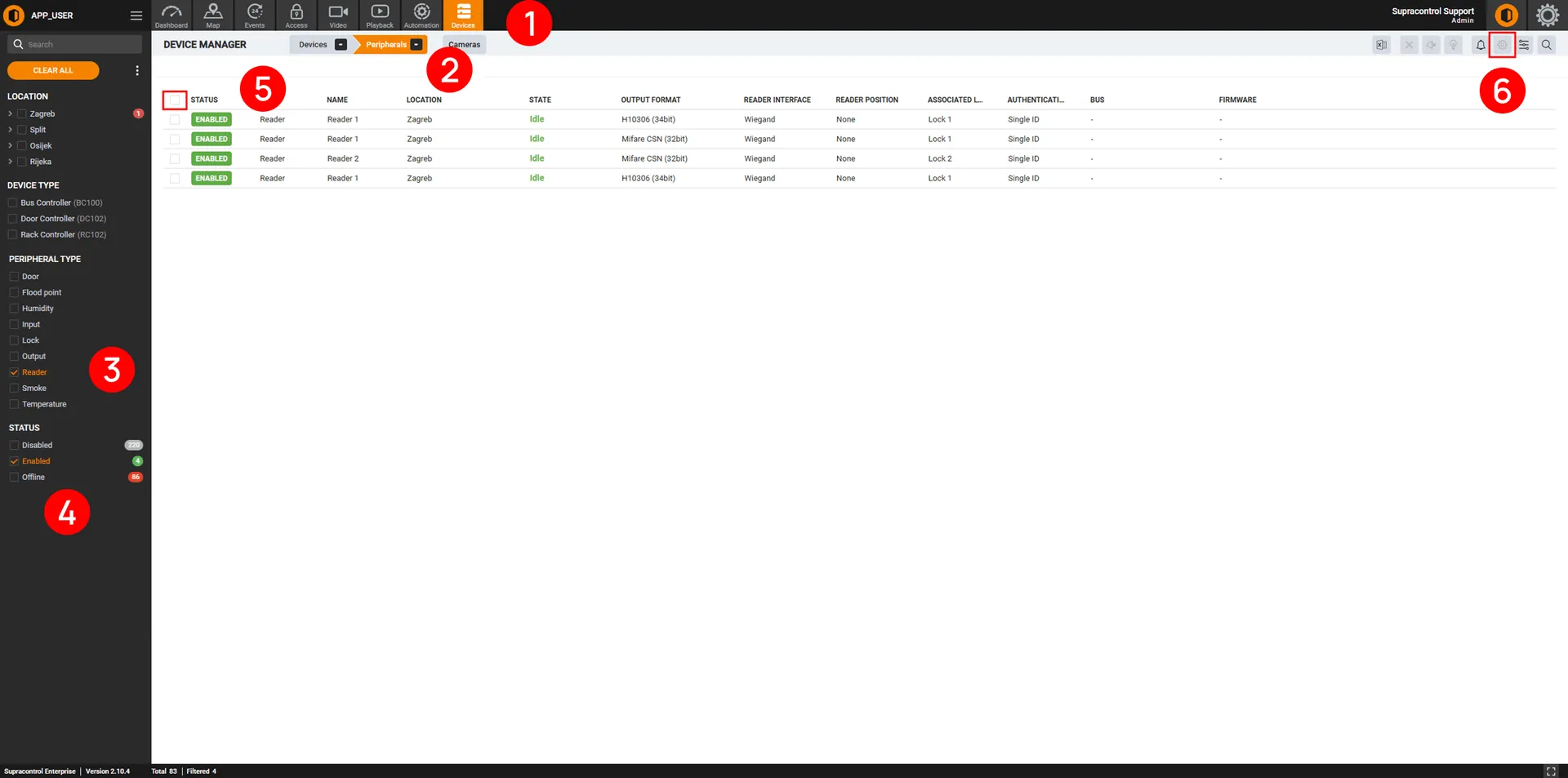
| No. | Description |
|---|---|
| 1 | Navigate to devices module. module. |
| 2 | Open Peripherals tab. |
| 3 | Select all peripherals type: Reader. |
| 4 | Select all status: Enabled |
| 5 | Select all table rows. |
| 6 | Bulk edit all selected rows. |
Within the newly opened window, change the ‘Output format’ setting.
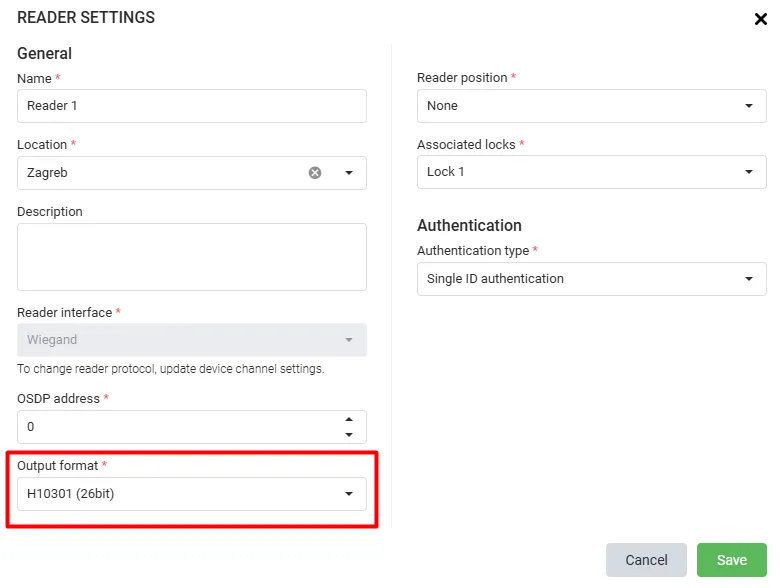
info
See the Reader article for an explanation of all input fields.