

Client Preferences
The Client Preferences page controls system-wide default settings that apply to all users of this Supracontrol installation. These are organisational defaults - individual users may override some of these in their personal User Profile settings.
Path: Settings → Personal Preferences (under Application Settings)
Access: Only Administrators, Owners, and Superadmins can access this page.
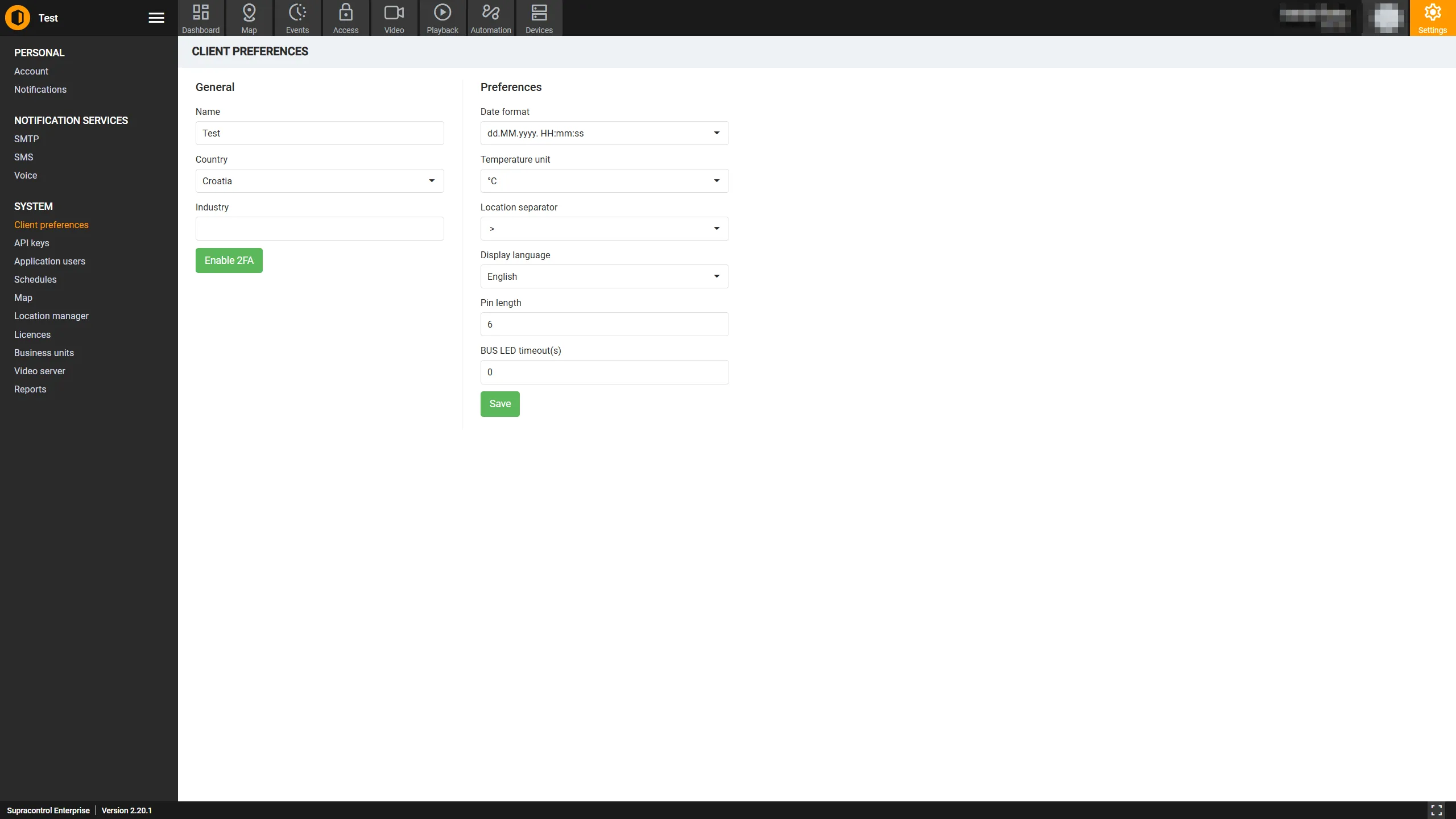
General settings
| Field | Description |
|---|---|
| Name | The display name for your organisation or client instance (e.g. “Acme Corporation”). Shown in reports and system messages |
| Country | The country your organisation is based in. Used for localisation and phone number formatting defaults |
| Industry | The industry sector your organisation operates in. Optional, used for classification purposes |
Two-factor authentication
If the OTP (one-time password) feature is enabled on your deployment, a system-wide 2FA toggle appears on this page.
| Button | Description |
|---|---|
| Enable 2FA | Enables two-factor authentication for all users system-wide. Users will be prompted to set up their 2FA enrolment on next login |
| Disable 2FA | Disables the 2FA requirement. Existing enrolments are preserved but not enforced |
Note: The 2FA toggle only appears when the OTP feature is enabled on your Supracontrol deployment.
Preferences settings
| Field | Description |
|---|---|
| Date Format | The default format for displaying dates throughout the application (e.g. DD/MM/YYYY, MM/DD/YYYY, YYYY-MM-DD) |
| Temperature Unit | The default unit for temperature sensor readings: Celsius (°C) or Fahrenheit (°F) |
| Location Separator | The character used to separate levels in location path strings (e.g. / produces “Building A / Floor 1 / Server Room”) |
| Language | The default interface language for all users. Individual users can override this in their personal profile |
| PIN Length | The number of digits required for access control PINs used with the Access Control module |
| Bus LED Timeout | The timeout (in seconds) for bus LED indicators on connected hardware peripherals |
Saving changes
Click the Save button to apply all preference changes. The Save button is disabled when no changes have been made.
Individual user overrides
Some client-wide preferences can be overridden by individual users in their User Profile (Settings → User Info):
| Preference | Can users override? |
|---|---|
| Date Format | Yes - each user can set their own |
| Temperature Unit | Yes - each user can set their own |
| Location Separator | Yes - each user can set their own |
| Language | Yes - each user can set their own |
| PIN Length | No - applies system-wide |
| Bus LED Timeout | No - hardware setting, applies system-wide |
Note: When a user has a personal override set, their personal preference takes precedence over the client-wide default.