

Settings Overview
The Settings page is the central hub for configuring and managing Supracontrol Enterprise. It is accessible to users with sufficient privileges and provides controls ranging from personal profile customisation to system-wide infrastructure configuration.
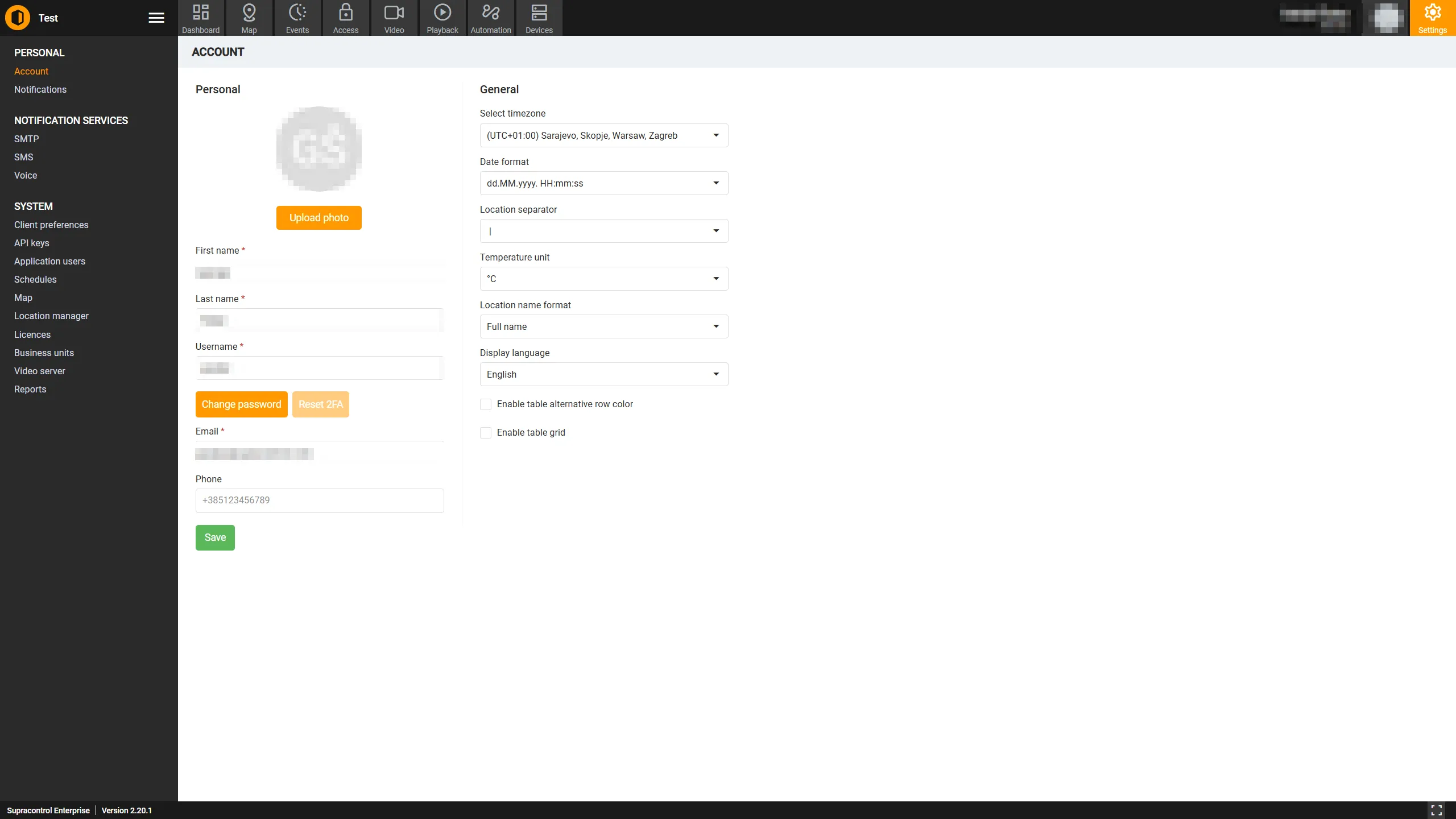
Navigating Settings
Click the Settings icon in the main navigation bar to open the Settings module. The page uses a collapsible sidebar on the left side to navigate between sections.
| Control | Description |
|---|---|
| Sidebar toggle | Collapse or expand the left-hand sidebar |
| Sidebar item | Click any item to navigate to that section |
| Active section | The currently active section is highlighted in the sidebar |
Sidebar sections
The sidebar is divided into three groups. Which items you see depends on your role and which features are enabled on your system.
Personal
These settings affect only the currently logged-in user.
| Section | Description |
|---|---|
| User Info | Edit your personal details: name, username, email, phone, timezone, language, date format, and display preferences |
| Application Notifications | Create and manage notification rules that alert you when alarms, system events, or audit events occur |
System Settings
Only Administrators, Owners, and Superadmins can access these sections.
| Section | Description |
|---|---|
| SMTP | Configure the outgoing email server used to send email notifications |
| SMS | Configure the SMS gateway used to send SMS notifications |
| Voice | Configure the voice call provider used to send voice notifications |
Application Settings
Primarily accessed by Administrators and above.
| Section | Description |
|---|---|
| Personal Preferences | System-wide display defaults: date format, temperature unit, language, PIN length, and more |
| API Keys | Generate and manage API keys for programmatic access to the Supracontrol API |
| Users | Create, edit, enable, disable, and delete user accounts. Assign roles, locations, and Business Units |
| Active Directory | Connect and synchronise users from a Windows Active Directory server |
| Schedules | Create reusable time-window schedules used by notifications and access control rules |
| Map Settings | Choose between OpenStreetMap and Google Maps and configure the map provider token |
| Location Manager | Build and manage the location hierarchy used to organise devices, cameras, and sensors |
| Client Licenses | View active licenses, upload activator files, and track license history |
| Business Units | Create organisational units to group users, locations, and data for access control and scoping |
| Video Server | Add and configure external video management system (VMS) connections |
| Scheduled Reports | Set up automated reports that are generated and delivered to recipients on a schedule |
| Peripherals | Define custom sensor types and units of measure beyond the built-in SCC types |
Role-based access
| Role | Personal | System Settings | Application Settings |
|---|---|---|---|
| Superadmin | Yes | Yes | Yes |
| Owner | Yes | Yes | Yes |
| BU Admin | Yes | No | Partial - BU-scoped sections only |
| Administrator | Yes | Yes | Yes |
| User | User Info only | No | No |
| Viewer | User Info only | No | No |
| Access User | User Info only | No | No |
Feature-gated sections
Some sections only appear when specific features are enabled by a Superadmin or system administrator:
| Section | Required feature |
|---|---|
| Active Directory | enableActiveDirectory must be turned on |
| Peripherals | enableCustomSensorTypes must be turned on |
| API Keys | enableOtp must be turned on |