

User Profile
The User Info page lets you update your personal details and display preferences. Changes made here apply only to your own account.
Path: Settings → User Info (under the Personal section)
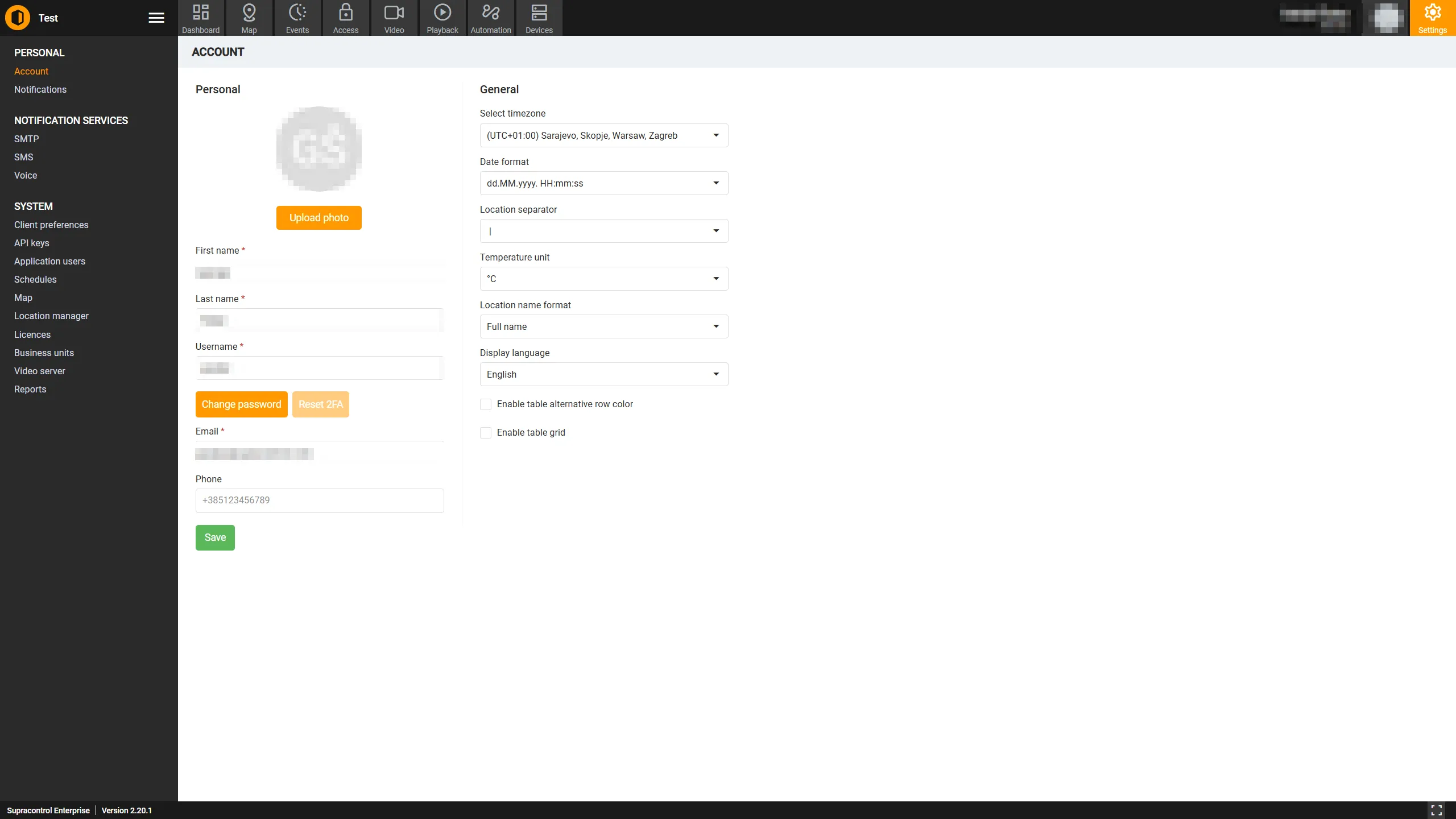
Personal information
| Field | Description |
|---|---|
| First Name | Your given name |
| Last Name | Your family name |
| Username | Your login username. Must be unique across the system |
| Your email address. Used for email notifications and account recovery | |
| Phone | Your phone number in international format (e.g. +385123456789). Used for SMS and voice notifications |
Note: If your account is linked to Active Directory (AD), the First Name, Last Name, Email, and Phone fields may be locked and can only be updated through AD.
Password and two-factor authentication
| Button | Description |
|---|---|
| Change Password | Opens a dialog to set a new password. Disabled for AD-linked accounts |
| Reset 2FA | Resets your two-factor authentication enrolment. Only visible when OTP/2FA is enabled on your system. Disabled if 2FA is not currently active on your account |
Display preferences
| Field | Description |
|---|---|
| Timezone | The timezone used when displaying timestamps throughout the application |
| Date Format | Your preferred date display format (e.g. DD/MM/YYYY, MM/DD/YYYY) |
| Location Separator | The character used to separate levels in location paths (e.g. / or >) |
| Temperature Unit | Choose between Celsius (°C) and Fahrenheit (°F) for temperature sensor readings |
| Location Format | The display format used for location names |
| Language | The interface language. Changes take effect after saving |
| Row Alternation | When checked, alternating rows in data tables are shaded for easier reading |
| Table Grid Lines | When checked, grid lines are shown between table rows and columns |
Saving changes
Click the Save button at the bottom of the page to apply your changes.
Note: The Save button is disabled if required fields are empty or invalid, the username you entered is already taken by another user, or the email you entered is already in use by another user.