

Voice Settings
The Voice Settings page configures the voice call provider that Supracontrol uses to place automated phone calls as a notification delivery channel.
Path: Settings → Voice (under System Settings)
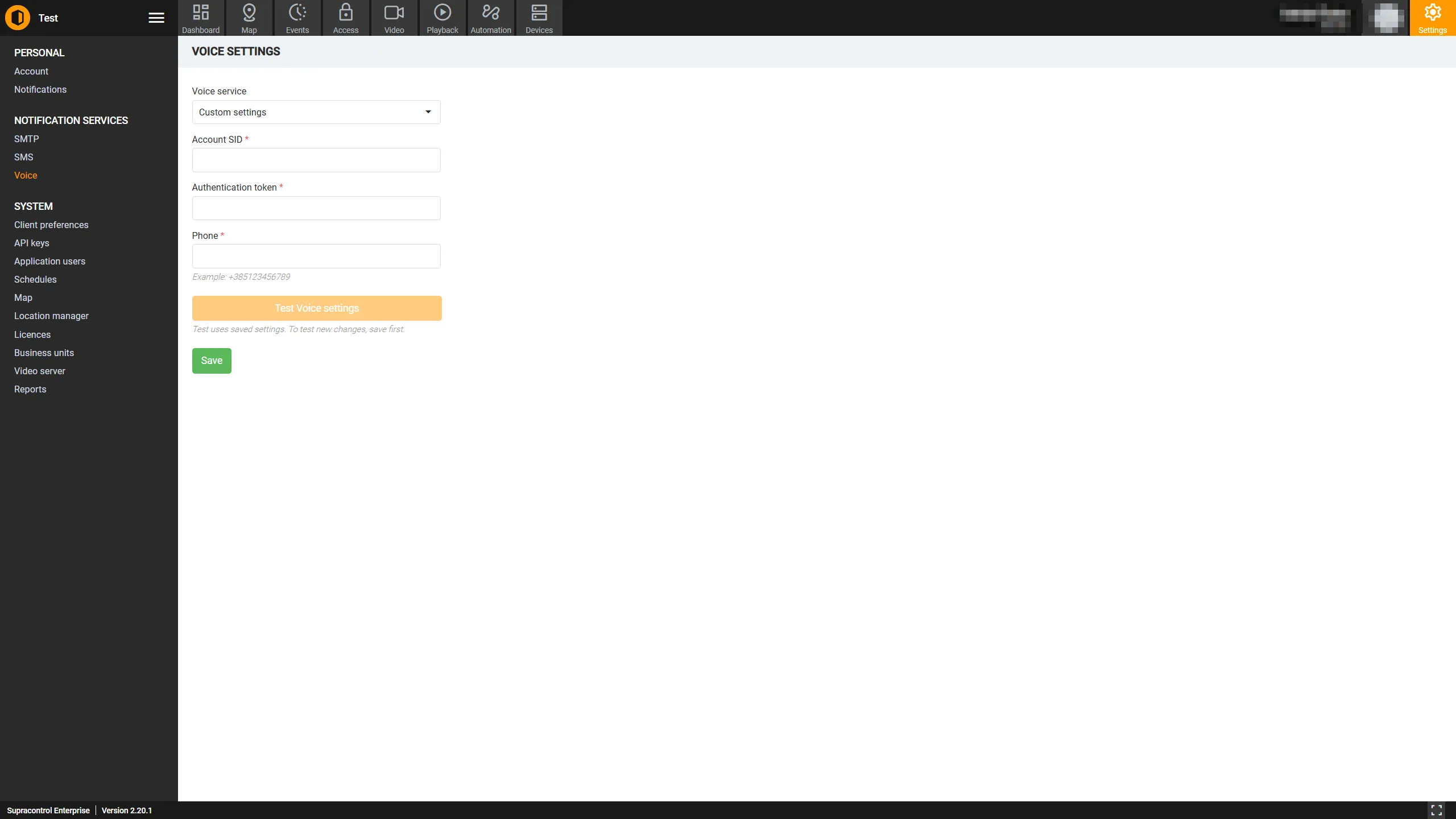
Voice service mode
| Option | Description |
|---|---|
| Disabled | Voice call delivery is turned off. No automated phone calls will be placed regardless of notification settings |
| Supracontrol Service | Use the managed voice service provided by Supracontrol (available on qualifying deployments). No custom configuration required |
| Custom | Configure your own voice provider credentials |
Custom voice fields
These fields appear when the service mode is set to Custom.
| Field | Required | Description |
|---|---|---|
| Account SID | Yes | The Account SID from your voice provider’s dashboard. Uniquely identifies your account |
| Auth Token | Yes | The authentication token for your voice provider account. Keep this secret |
| Caller Number | Yes | The phone number in international format (e.g. +12025551234) that will appear as the caller on outgoing voice calls. This number must be provisioned in your voice provider account |
Testing the configuration
After filling in the custom credentials:
Click Test
Click the Test button. A dialog opens asking for a test phone number.
Enter a number and confirm
Enter a valid mobile or landline number in international format and confirm. Supracontrol will attempt to place a test call to that number.
Answer and verify
Answer the call to verify the voice message is delivered correctly.
Saving the configuration
Click the Save button to apply the settings. The Save button is disabled when no changes have been made since the last save.
How voice notifications work
When a notification with the Voice channel enabled fires:
Supracontrol calls the voice provider API with the recipient numbers and the message text.
The provider places automated calls to each number.
When the recipient answers, an automated voice reads out the notification message. Delivery status is recorded and viewable in Notification Delivery Statistics.
Troubleshooting
| Problem | Likely cause | Solution |
|---|---|---|
| Test call not received | Incorrect credentials | Verify Account SID and Auth Token |
| Call placed but no audio | Text-to-speech issue | Check provider dashboard for call logs and errors |
| Calls not going through | Number not provisioned | Ensure the Caller Number is an active, voice-capable number in your provider account |
| Provider error | Network/firewall | Ensure the Supracontrol server can reach the voice provider API |