

Users and Roles
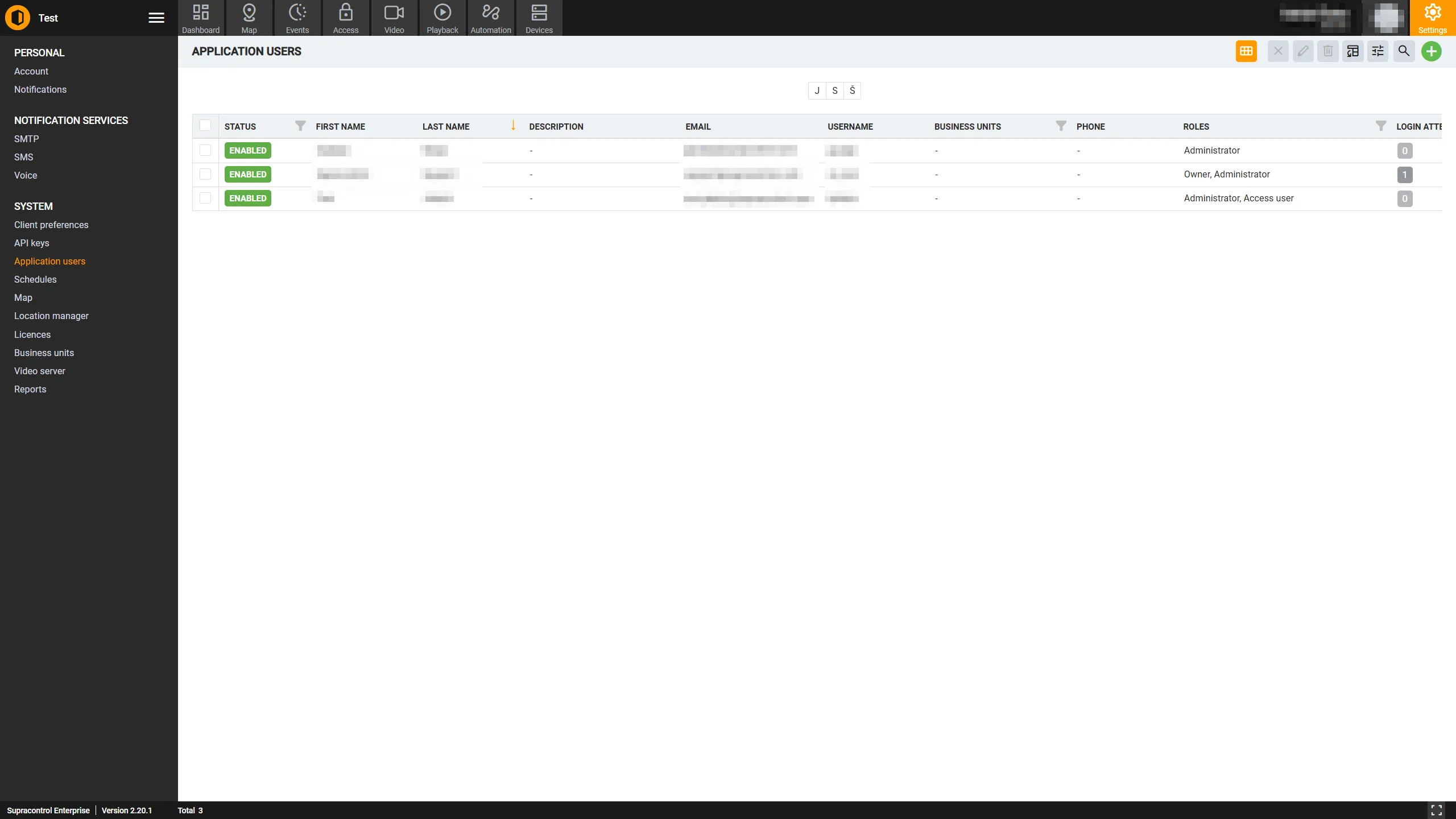
The Users page is where Administrators manage all user accounts in the Supracontrol system. From here you can view, create, edit, enable, disable, and delete users, as well as assign their roles and access permissions.
Path: Settings → Users (under the Application Settings section)
The role system
Every user in Supracontrol is assigned one or more roles that determine what they can see and do in the application. Roles have a numeric level - higher levels grant greater privilege. When a user has multiple roles, the highest-level role takes precedence.
| Role | Level | Description |
|---|---|---|
| Superadmin | 8 | The highest privilege level. Manages multiple client deployments (tenants). Not visible in the standard user interface - managed through the Superadmin module |
| BU Admin | 7 | Full administrator within a specific Business Unit. Can manage users, notifications, and schedules within their assigned Business Unit but cannot see or modify data from other Business Units |
| Owner | 6 | The system owner. Has full system access. Cannot be deleted by another administrator and cannot disable their own account. At least one Owner account must exist |
| Administrator | 2 | Full system administrator. Can manage all users, settings, and configurations |
| User | 3 | A standard user with location-based access. Can view and interact with the system according to assigned location permissions |
| Viewer | 5 | Read-only access. Can view data but cannot make changes or acknowledge alarms |
| Access User | 4 | Restricted to the Access Control module only |
User properties
Identity
| Property | Description |
|---|---|
| Username | The unique login name used to sign in |
| First Name / Last Name | The user’s full name |
| The user’s email address; used for email notifications and account-related messages | |
| Phone | Phone number in international format; used for SMS and voice notifications |
| Description | Optional free-text note about this user |
Access and security
| Property | Description |
|---|---|
| Roles | One or more roles assigned to the user |
| Business Units | Which Business Unit(s) this user belongs to |
| Locations | Specific locations this user has access to, optionally with schedule-based time restrictions |
| Validity Period | An optional date range (Valid From / Valid Through) that limits when the account can be used |
| 2FA Enabled | Whether two-factor authentication is active for this user (when OTP feature is enabled) |
| Access Cards | Physical access control cards linked to this user for door/gate access |
Metadata
| Property | Description |
|---|---|
| Created On | When the account was created |
| Last Login | The most recent successful login date and time |
| Enabled | Whether the account is currently active |
User status
| Status | Description |
|---|---|
| Enabled | The user can log in and use the system |
| Disabled | The user cannot log in. Their data and configuration remain intact |
| Validity Expired | The current date is outside the user’s Valid From / Valid Through range. The user cannot log in until the validity period is updated |
View modes
| View | Description |
|---|---|
| Table View | A standard data grid showing all users with sortable and filterable columns |
| Card View | A visual card-based layout showing each user as a card with their name, role, and status at a glance |
Toggle between views using the button in the toolbar.
Alphabet filter
An A-Z filter row appears above the user list. Click a letter to instantly filter the list to users whose name starts with that letter. Click the selected letter again (or All) to clear the filter.
Toolbar
| Icon | Tool | Description |
|---|---|---|
 | Toggle View | Switch between card view and table view |
 | Enable | Enables the selected user account(s) |
 | Disable | Disables the selected user account(s) |
 | Edit | Opens the edit dialog for the selected user. Disabled when no row or more than one row is selected |
 | Delete | Deletes the selected user(s). Disabled when no user is selected, the user has the Owner role, or the user is the last Administrator |
 | Export to Excel | Exports the current user list to an Excel file |
 | Table Settings | Opens the column visibility panel for the user table |
 | Add User | Opens the dialog to create a new user account |
A search bar is available to filter by name, username, email, or role.
Access restrictions
- Administrators cannot edit, disable, or delete users whose role level is higher than their own
- An Administrator cannot disable or delete their own account
- The Owner role protects an account from deletion - at least one Owner must always remain
- BU Admins can only see and manage users within their assigned Business Unit